Local-first • No uploads • Works on scans • Batch & Secure Flatten Pro
Watermark sensitive documents without uploading them.
Add a diagonal or tiled watermark to PDFs and images. Fast preview, clean output, and your file stays on your device.
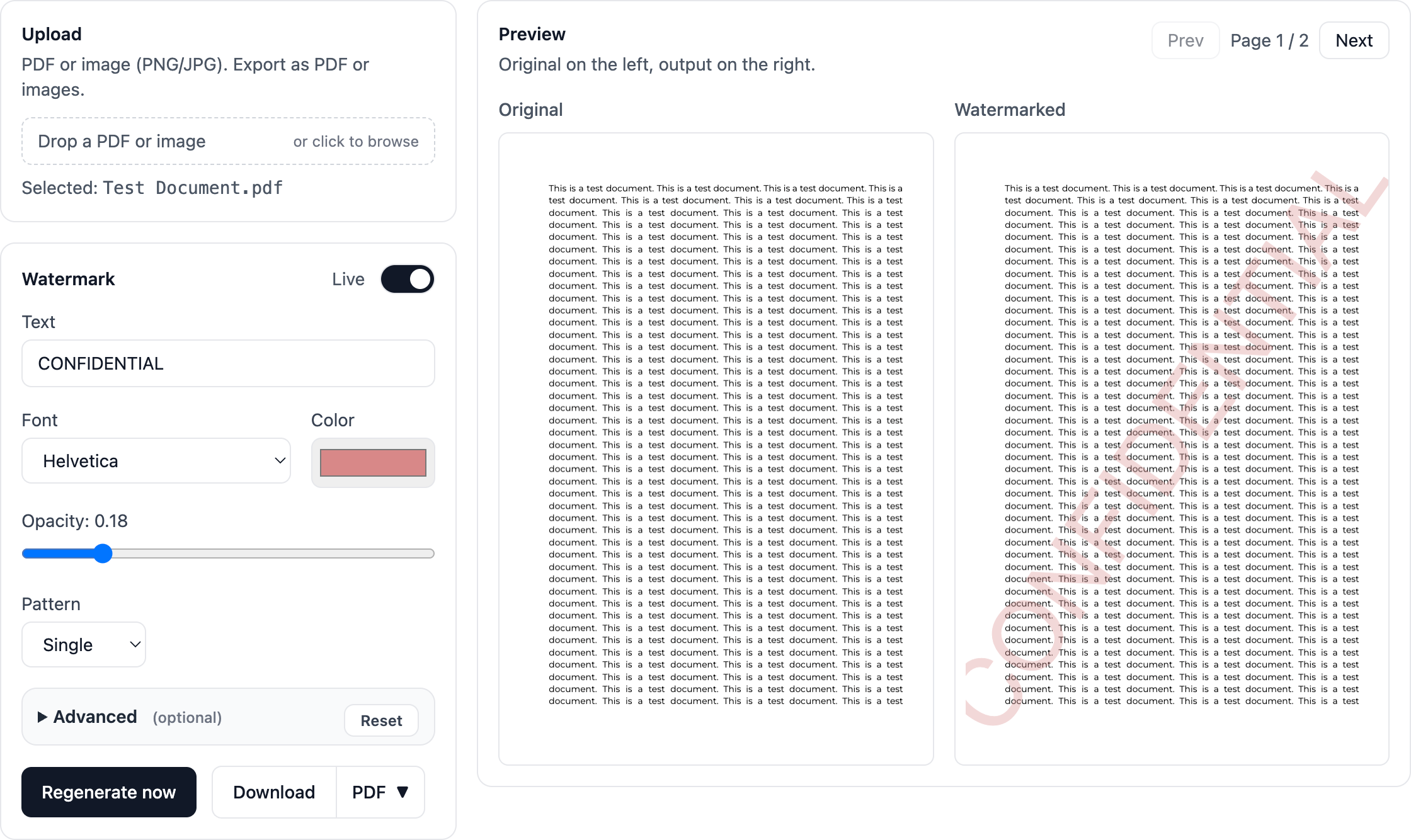
Running locally in your browser — nothing is uploaded.
Everything you need to watermark with confidence
Built for sensitive documents — fast, private, and flexible.
No uploads
Processing runs entirely in your browser. Your file never touches a server.
Scanned PDFs
Handles page rotation and multi-page documents, including scans.
Tiled watermark
Great for IDs, offer letters, and proofs. Adjust density and angle.
Pro
Secure Flatten PDF
Bakes the watermark into the page image so it is harder to remove in editors.
Privacy by design
Your document never leaves your device in local mode. There is no server upload, storage, or retention.
Local processing
Watermarking runs entirely in the browser.
No sign-in needed
Use it instantly with no account.
No document analytics
We do not collect or inspect your files.
Simple promise: your file stays on your device. If we ever add cloud features, they will be opt-in and clearly labelled.
FAQ
Do you upload my documents?
No. Watermarking runs locally in your browser. Your file is not sent to a server.
Does it work on scanned PDFs?
Yes. It handles common scan quirks including internal page rotation.
Can I tile the watermark?
Yes. Use tiled mode and adjust density for stronger protection against misuse.
Is this free?
Core watermarking is free. Watermark Pro (₹299 one-time) adds batch watermarking, Secure Flatten PDF, and future Pro features.
Can I make the watermark harder to remove in PDF editors?
Yes. Use Secure Flatten, a Pro output mode that bakes the watermark into the page image so it is harder to remove in editors like LibreOffice. Text may not remain selectable and file size may increase. Learn how Secure Flatten works